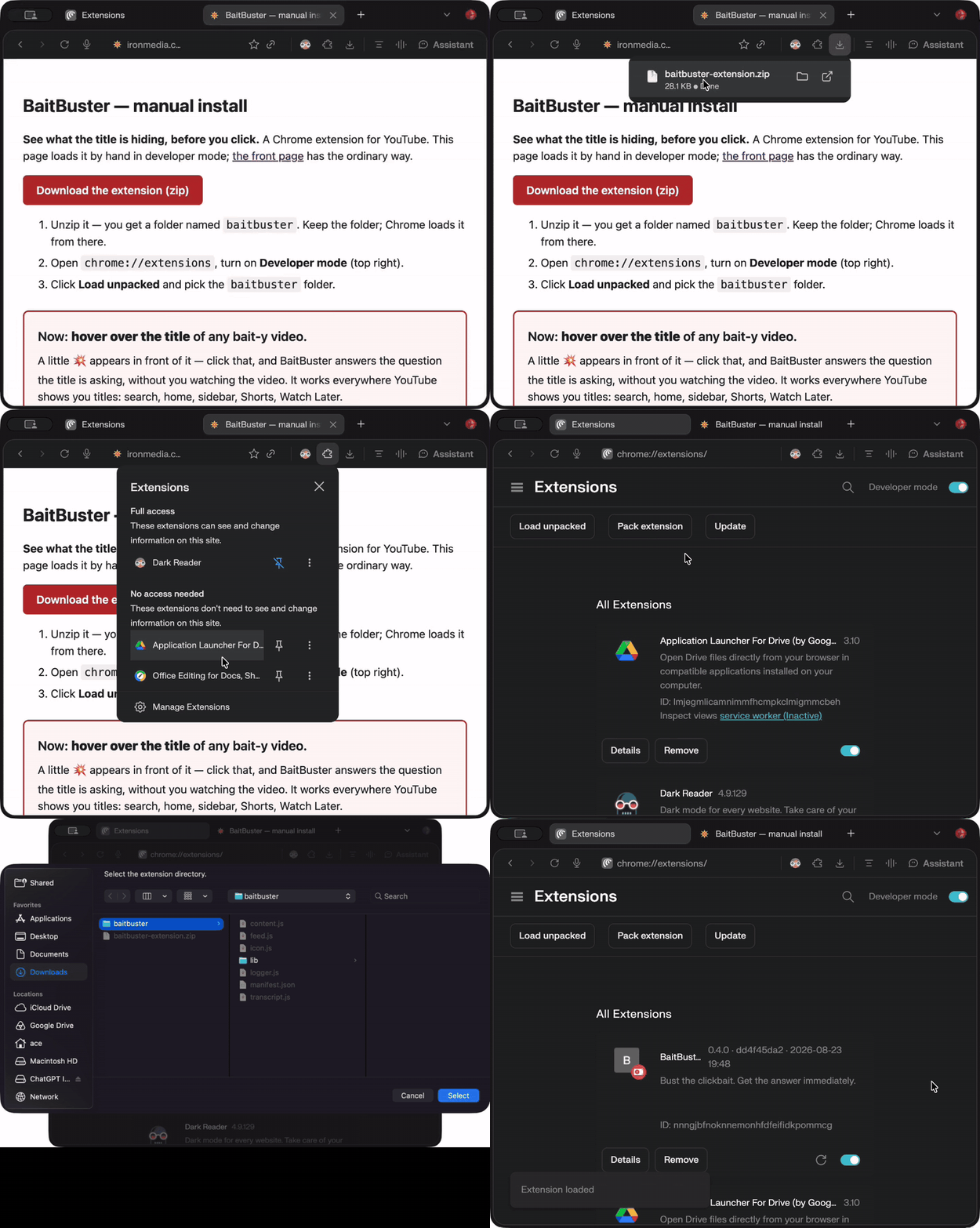
See what the title is hiding, before you click. A browser extension for YouTube — works in Chrome, Brave, Edge, and any Chromium browser. This page loads it by hand in developer mode; the front page has the ordinary way.
baitbuster. Keep the folder; your browser loads it from there.chrome://extensions (in Brave: brave://extensions, Edge: edge://extensions), turn on Developer mode.baitbuster folder.A proper one-click Firefox listing is coming; until it is live, Firefox only accepts this unsigned build as a temporary add-on, and it unloads when the browser closes.
about:debugging#/runtime/this-firefox..xpi.Now: hover over the title of any bait-y video.
A little 💥 appears in front of it — click that, and BaitBuster answers the question the title is asking, without you watching the video. It works everywhere YouTube shows you titles: search, home, sidebar, Shorts, Watch Later.
On a video's own page there's also a BaitBust button next to the title. Every answer anyone has ever busted is free to you; bring an OpenRouter key or a pass and the ones you bust become free to everyone else, forever.
Updating (rare — the extension is a tiny shim and almost everything
lives on the server): download again, unzip over the same folder, press Reload (↻) on
chrome://extensions. Your settings and key live in BaitBuster itself, not the
extension, so even a remove-and-re-add loses nothing. This build talks to
https://ironmedia.com/baitbuster and is build b2b68f6d9. To check what you have installed, look at
chrome://extensions: BaitBuster's version line shows the build and when it was made, and
the app's ⚙ says whether it is the latest.
The whole thing, twenty seconds: